Close the window.Keep the conversation.

Even a late reply reaches the customer by the email or phone number they left, and a link brings them back to the same conversation.

The inquiry inbox in the quiry console. Sarah Kim's inquiry, the team's reply, and an internal note are in one conversation

Replies
follow the customer

1Ask with ease

Leave a contact
and close the window

Customers don't have to wait around for an answer, so they feel free to ask first.
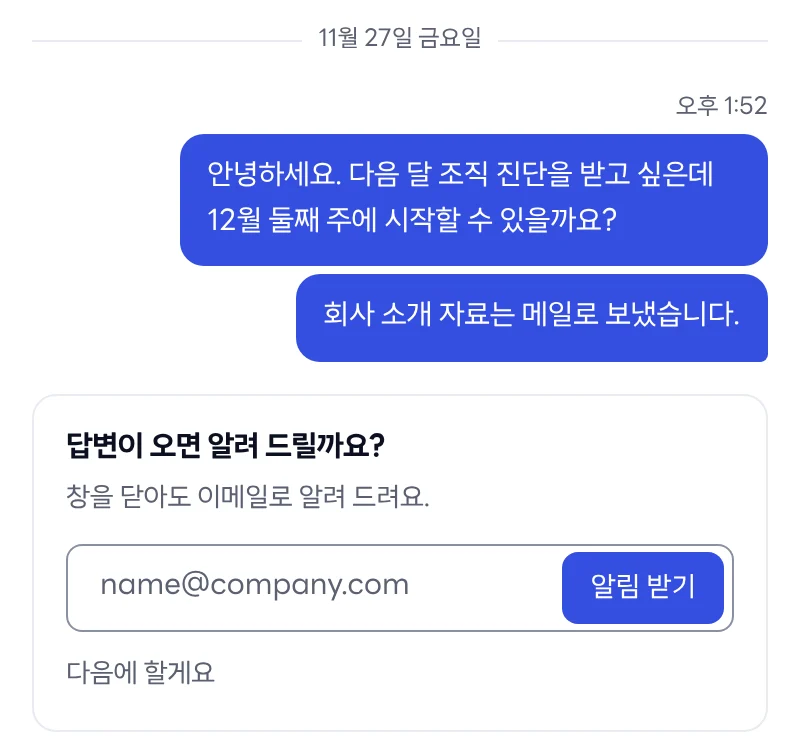
The widget, where a customer asks about a schedule and an email field appears for the reply notification
2Reach them late

Replies go to the contact
the customer left

A slightly late answer doesn't lose the customer. Replies go to wherever they left, email or phone, and only unread replies are sent, so notifications never pile up.
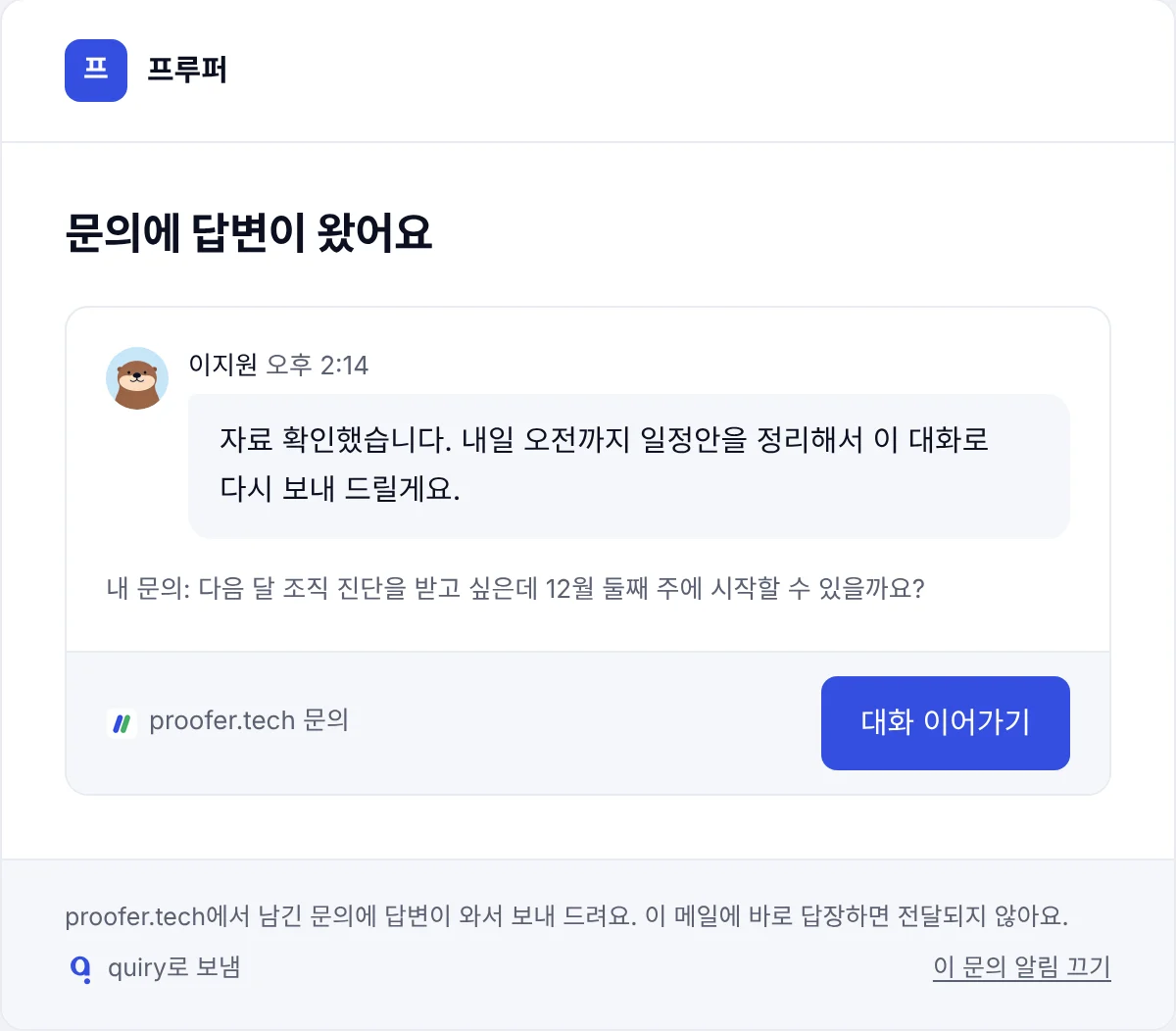
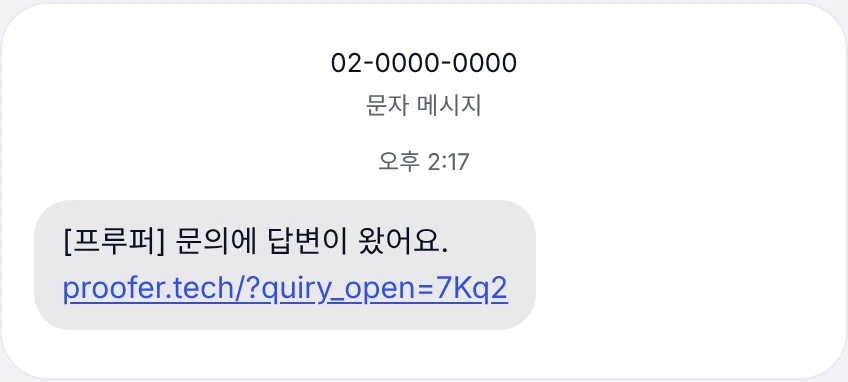
The reply notification email sent to the customer, with the team's reply and a button to continue the conversationA text message announcing the same reply, with a short link back to the conversation
3Pick up where you left off

No need to explain
everything again

The earlier conversation and team notes are all still there, so you continue with the returning customer right away.
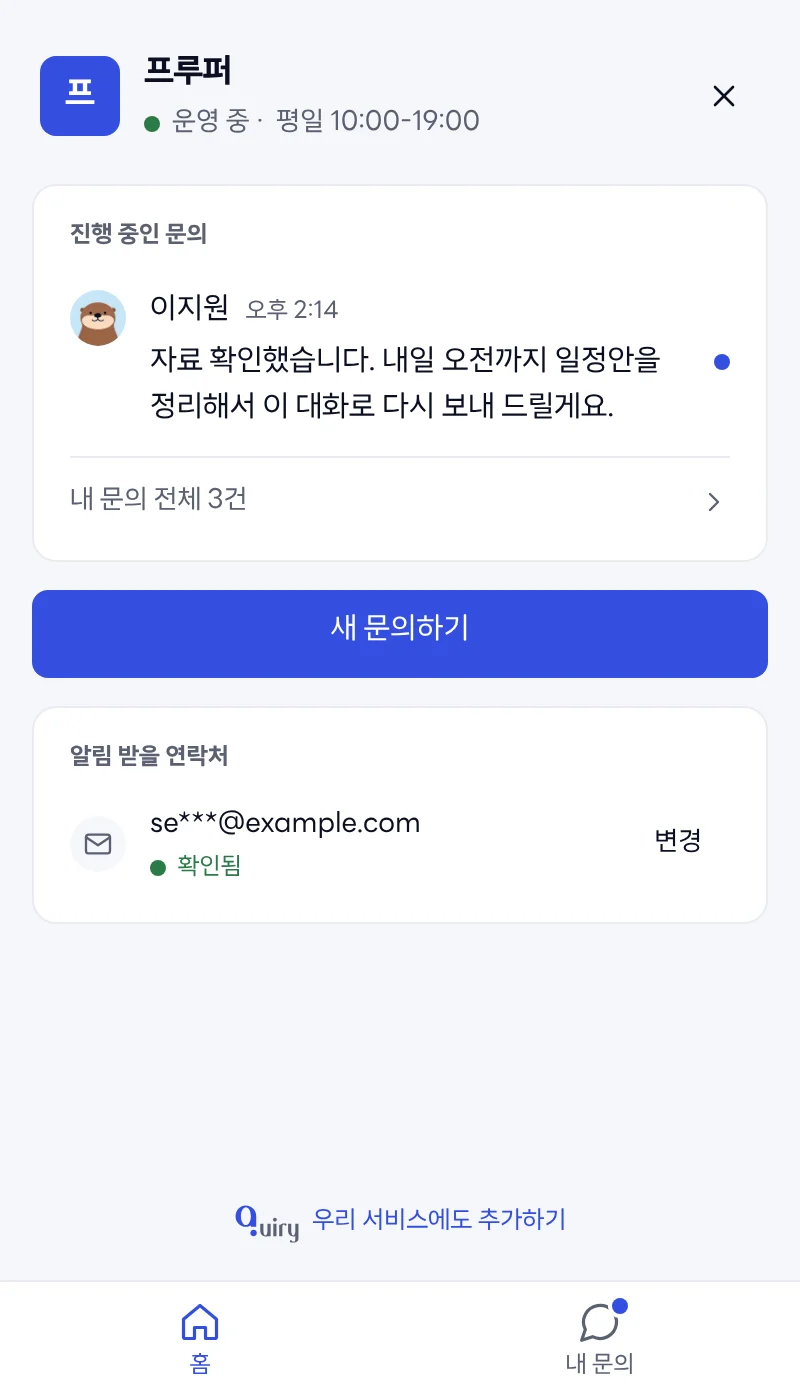
The home screen of the reopened widget, showing Jiwon Lee's new reply on an ongoing inquiry
  • An inquiry at 2 AMYour team is notified right away in Slack, Discord, Teams, or Google Chat.
  • A customer who gave up waitingReplies unread within 3 minutes follow them by email or text message.
  • An inquiry two people openedThe screen shows who owns it and who is viewing it.
  • An inquiry from a third siteAdd as many sites as you like. The inbox stays in one place.

Nothing slips through

Copy, paste,
and you're done

Any site with a place for code works. Change the widget's colors, logo, and greeting to fit your company in the console.

<script src="https://quiry.me/w.js"  data-workspace="my-team"  data-widget="my-site" async></script>
ProoferOpen · Weekdays 10:00-19:00

Hello. Leave a question about a quote or schedule and we'll reply within business days.

Use it with
your own AI

Connect quiry to the AI you already use, and it picks out the inquiries that still need an answer and drafts the replies. A person checks before anything goes to a customer.

Works with AI tools like Claude (MCP supported). Your team decides whether the AI only reads or also writes replies.

Sort out only the inquiries from today that I haven't answered yet

2 inquiries are still unanswered.
  1. Doyun Park asks whether reference checks are part of the recruiting service. Needs an internal report this week.hravengers.co.kr · 1:40 PM
  2. Haeun Jung asks whether next week's meeting can be at the Nonhyeon office, and which times work.proofer.tech · Yesterday
Draft reply to Doyun ParkReference checks are included in the standard scope. I'll put together the schedule so you can use it in this week's report and send it by tomorrow morning.

Questions
before you start

Can I move from the Channel Talk I use now?

Yes. Proofer, who built quiry, also used Channel Talk and moved. We'll decide how to bring over past conversations during the intro consultation.

Will it match my site's design?

You can change the widget's colors, logo, name, greeting, font, and launcher position to fit your brand.

Where is customer data stored?

It is stored in a database in the Seoul region, and only the app server can access it.

Can I receive inquiries from customers who write in English?

The widget and notification emails work in Korean and English, and can follow the visitor's browser language.

How much does it cost?

We'll go over pricing during the intro consultation, based on your number of sites and how you use it.

Trying it beats
hearing about it

Ask anything in the widget at the bottom right. It's quiry too, so you can see for yourself how a reply follows you after you close the window.